Alerts
Zapier is a leading automation platform that connects apps and workflows, helping users save time and increase productivity.
‘Alerts’ was a 0 -> 1 product release , a key offering of Zapier’s new enterprise package. Designed to provide real-time notifications for critical events and workflow errors, Alerts allows users to respond swiftly to disruptions, minimizing downtime and preserving business continuity. This feature enhances proactive monitoring and troubleshooting, enabling users to manage workflows with confidence and efficiency.
Zapier is a leading automation platform that connects apps and workflows, helping users save time and increase productivity.
‘Alerts’ was a 0 -> 1 product release , a key offering of Zapier’s new enterprise package. Designed to provide real-time notifications for critical events and workflow errors, Alerts allows users to respond swiftly to disruptions, minimizing downtime and preserving business continuity. This feature enhances proactive monitoring and troubleshooting, enabling users to manage workflows with confidence and efficiency.
This project identifies key areas of friction and opportunities for the Alerts feature within the scope of Team Observe:
Workflow Reliability and Troubleshooting
Troubleshooting Friction
Problem: Troubleshooting required navigating multiple interfaces such as Email, Zap History, and the Editor, not only for users but also for internal users like Support. This cluttered process slowed down resolution times, creating inefficiencies and increasing the risk of critical errors being missed and continued downtime for critical workflows.
Objective: Streamline the troubleshooting process by reducing navigation complexity.
Delayed Error Detection
Zapier itself heavily relied on email as the primary method for communicating workflow errors, along with other types of notifications such as marketing updates and product announcements. This reliance led to an overwhelming volume of emails for users, causing critical error notifications to be frequently missed. There was also no distinction between mission-critical workflows and non-critical ones, as one user noted: “Not all workflows are equal.”
Objective: Enable real-time notifications within the app and through dedicated communication channels, such as Slack, additional emails, or webhooks, to ensure immediate detection of errors and prioritization of mission-critical workflows.
Marketing video of Alerts
Team Observe
Product Designer: Tyler Mag
Product Manager: Annabelle
Tech lead: Bryce
Team Observe
Product Designer: Tyler Mag
Product Manager: Annabelle
Tech lead: Bryce Seager
Process
Journey Mapping
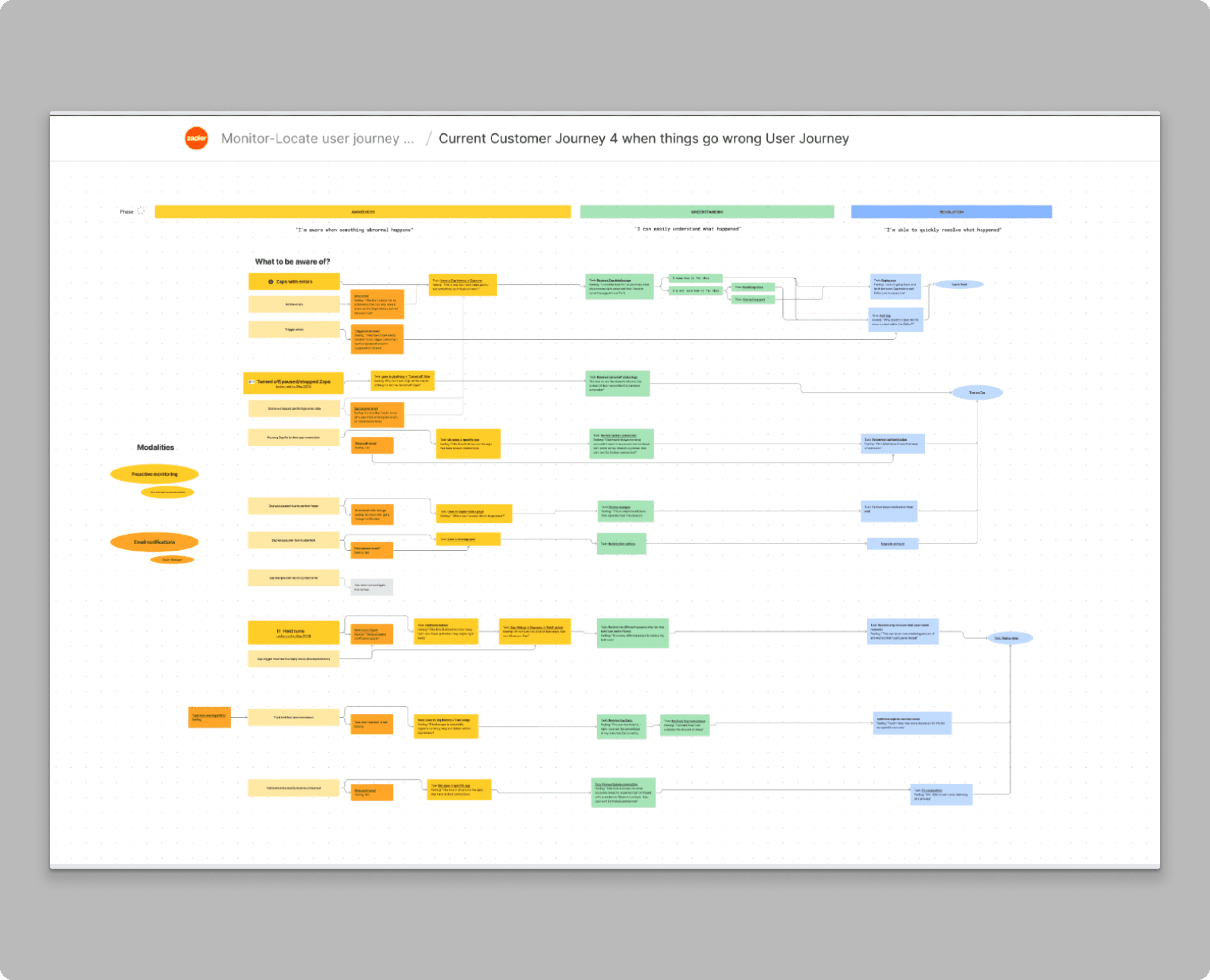
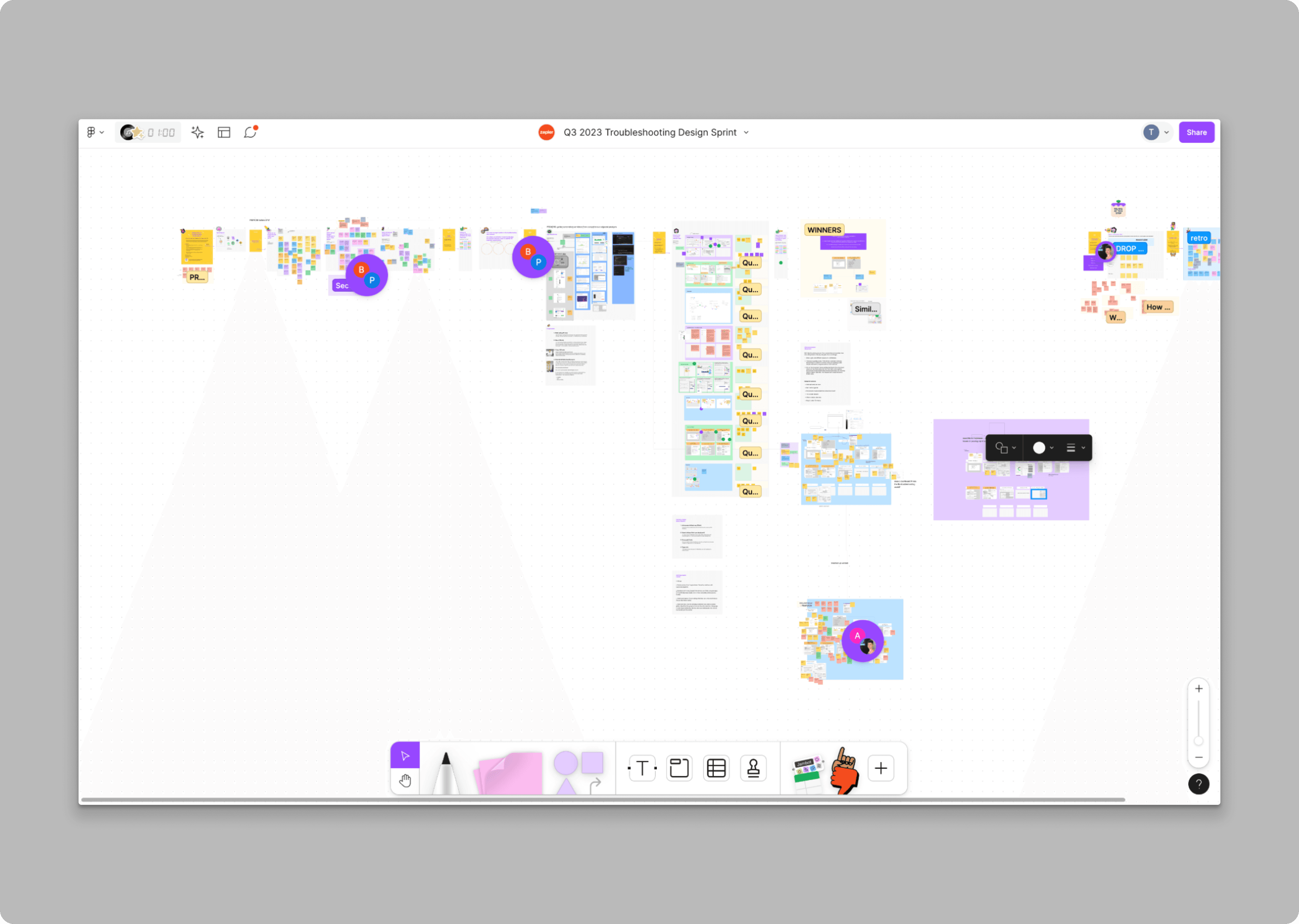
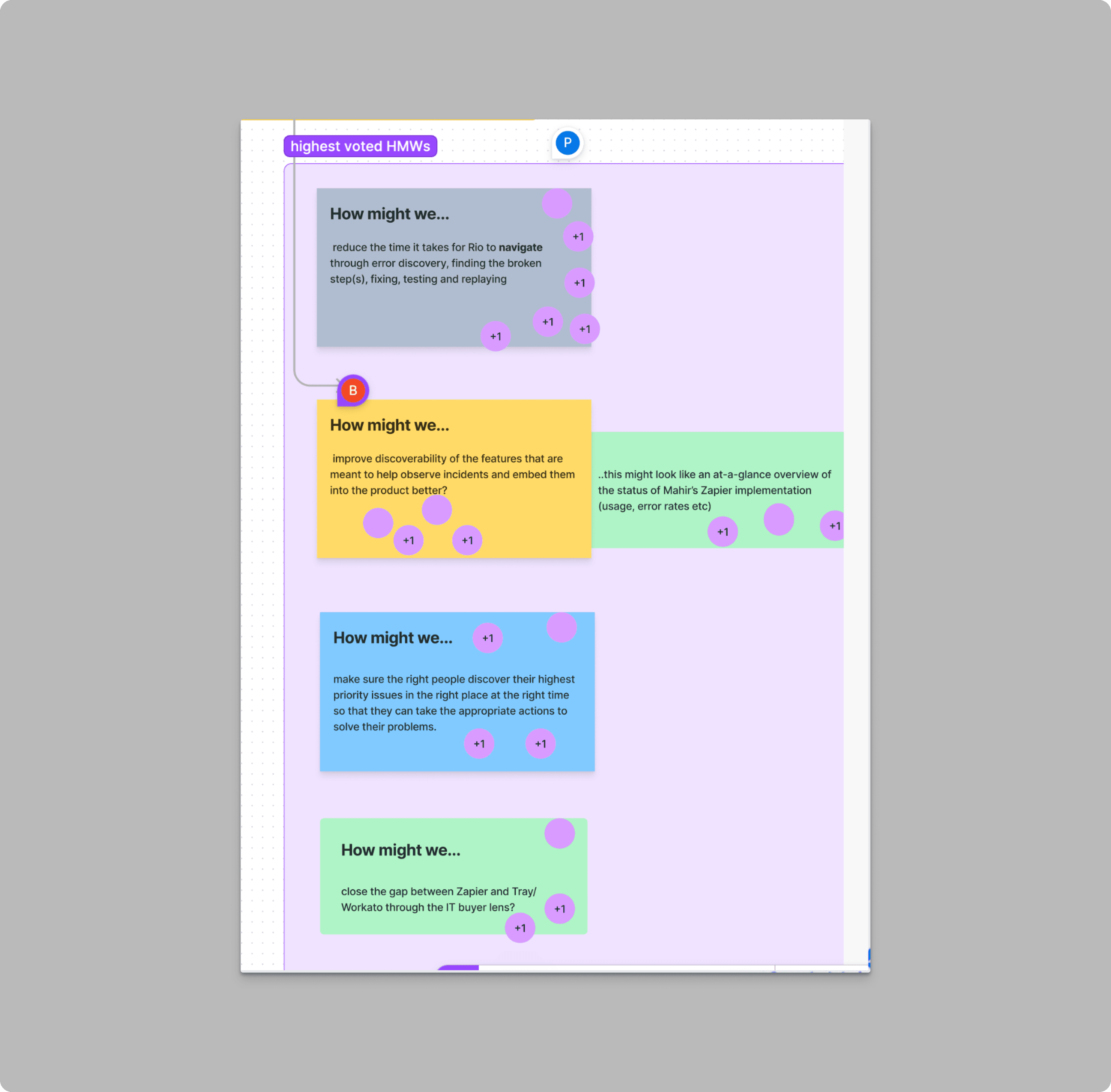
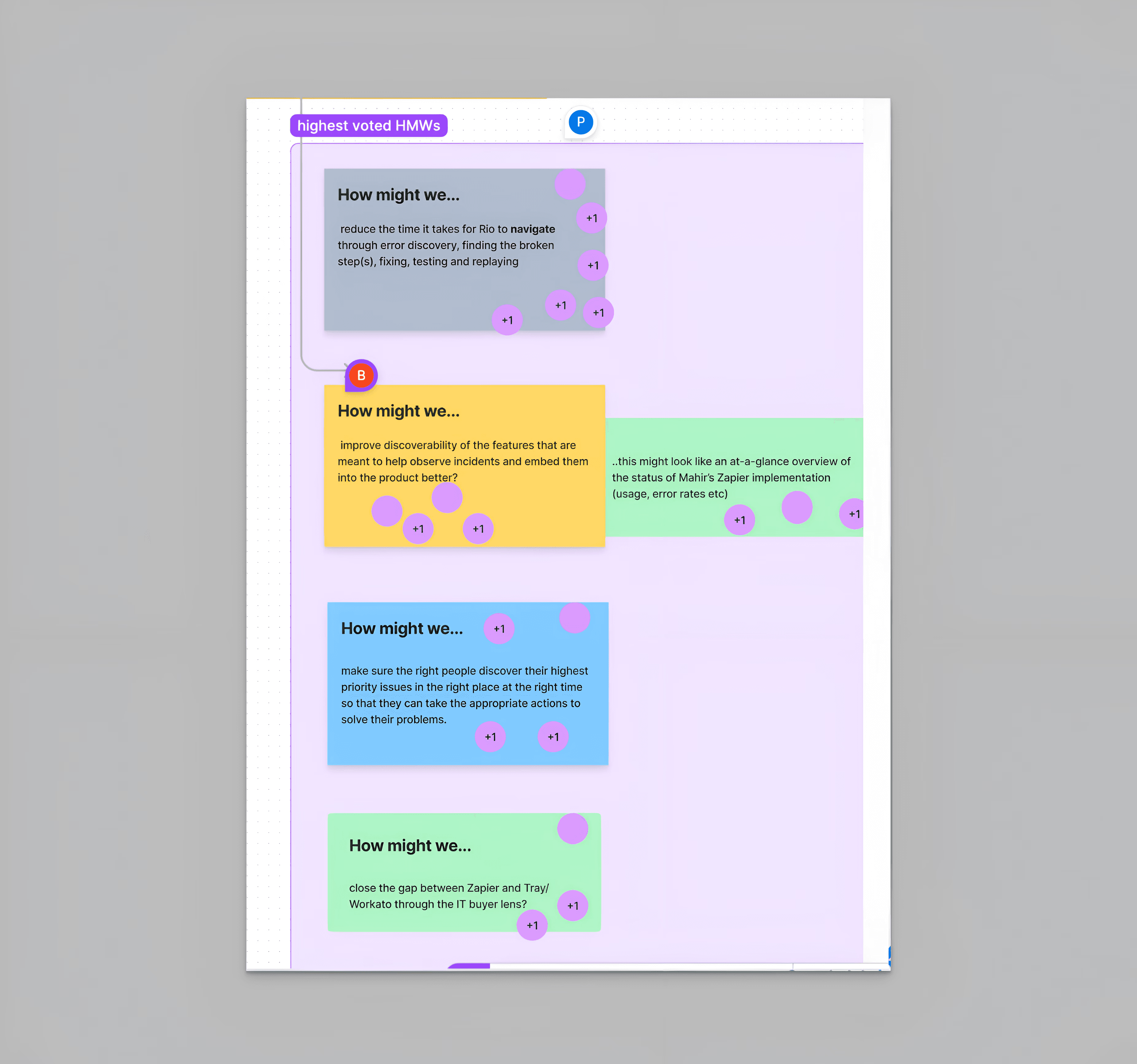
Created a journey map to identify friction points in the user experience and explored opportunities for improvement. Collaborated with UX research to facilitate a design sprint, leading the prototyping and sketching phases.
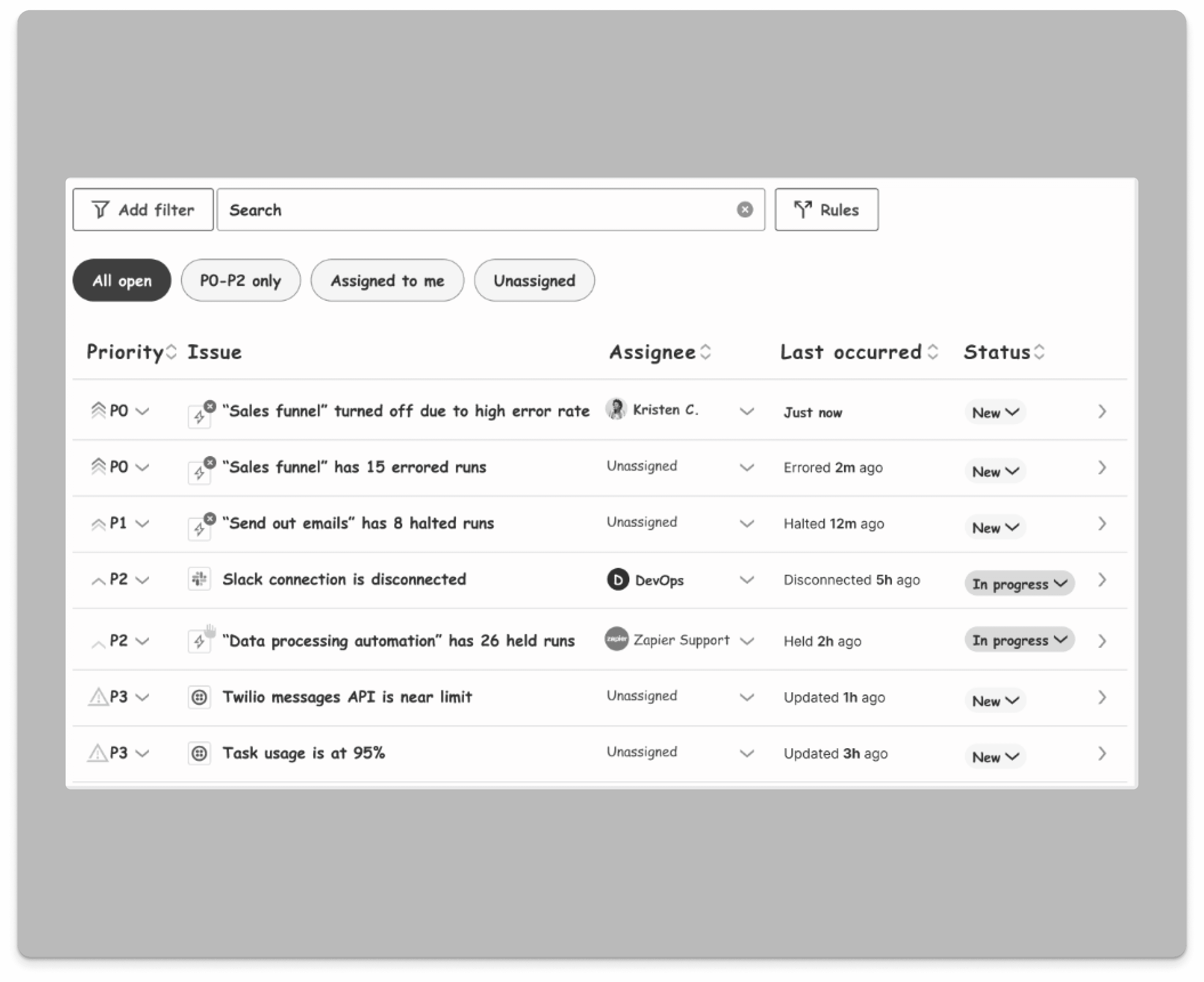
Based on the journey map, we decided to pursue two 0-1 features as part of the enterprise offering: Alerts and Analytics [see case study]. Analytics aimed to provide actionable insights through centralized data dashboards, while Alerts focused on providing an in-app interface to monitor workflow errors, and streamlining the troubleshooting process for users.
User Testing
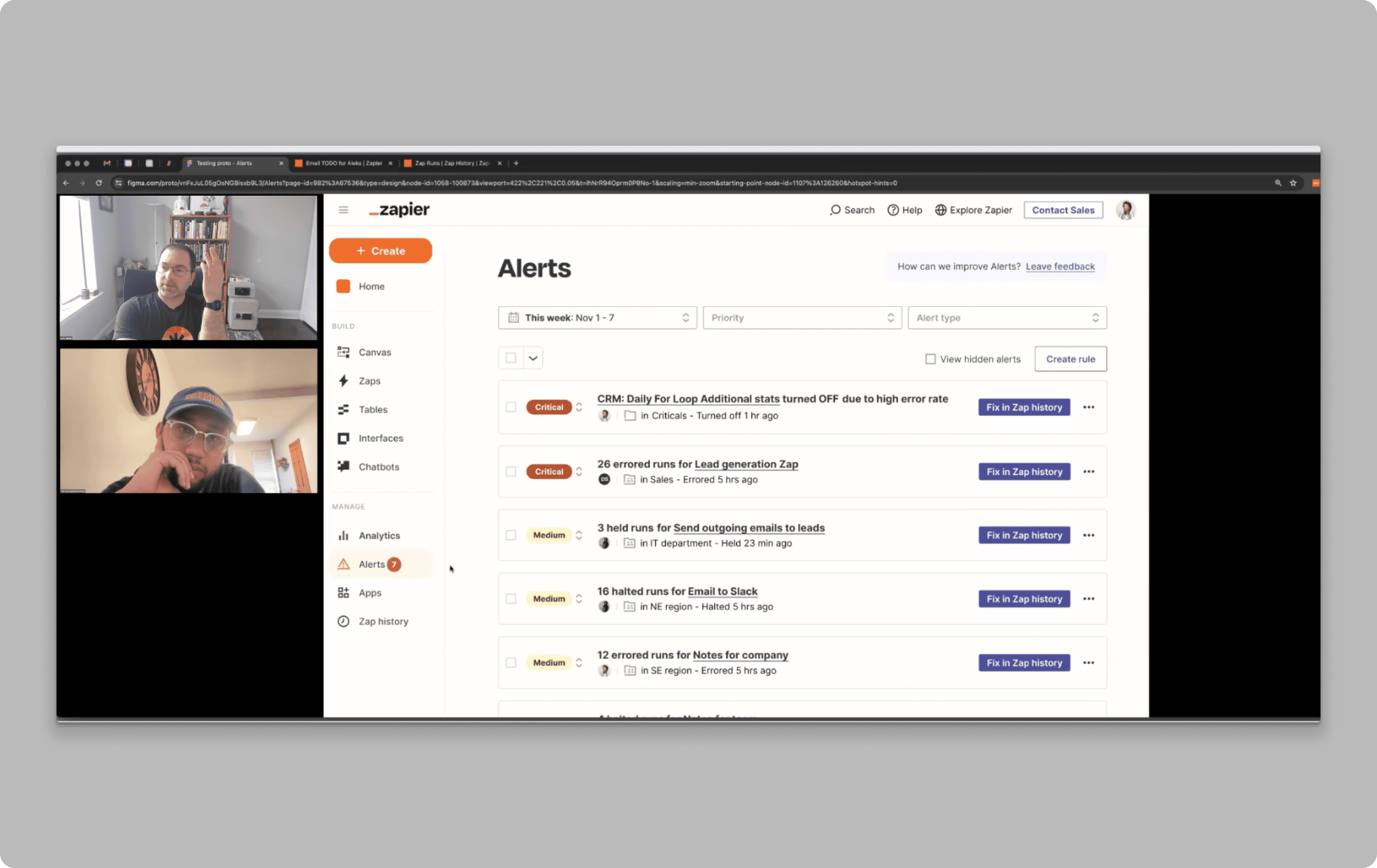
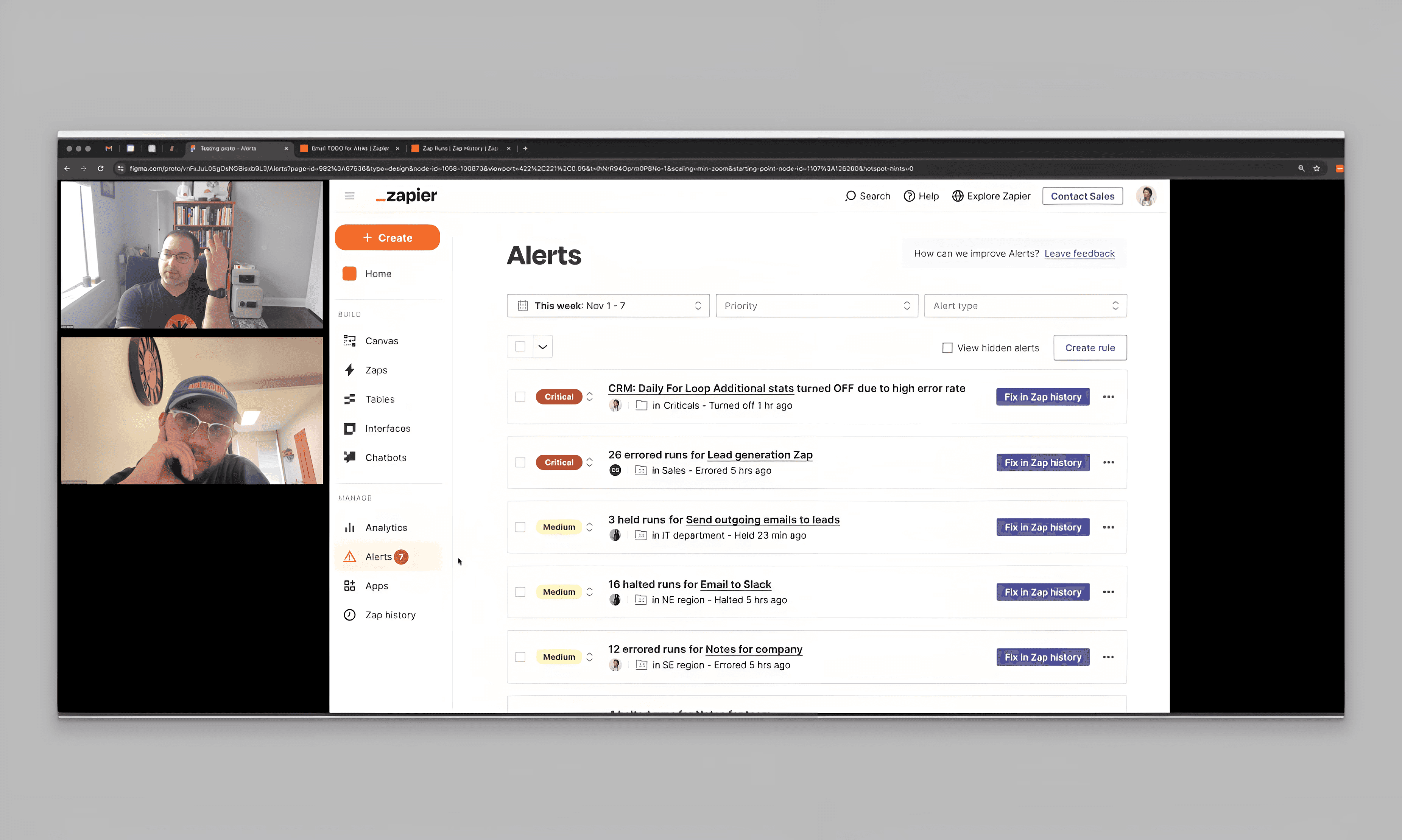
Conducted usability testing with enterprise users. Key feedback included:
Clear prioritization of alerts based on how critical the error is and how important the workflow is was needed.
Users focused on high error rate Zaps and turned off Zaps (due to high error rate)
Slack and webhook integration was sorely needed as well.
Vision Design
Developed a vision prototype that integrated user-requested features and anticipated future needs. The prototype guided the development of the MVP.
Technical Scoping
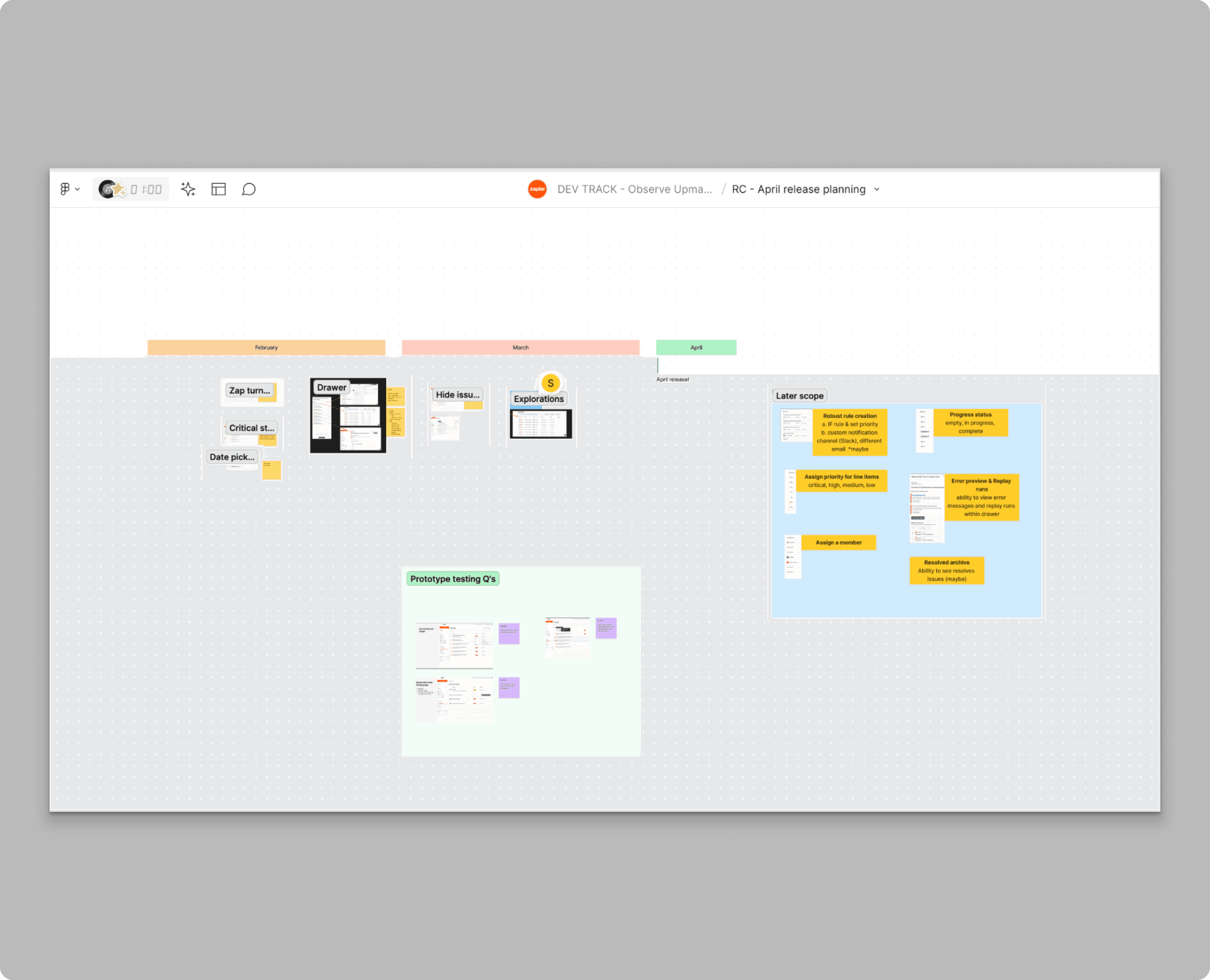
Held FigJam scoping sessions with engineering to identify feasible features. Key outcomes included:
Prioritized high-impact features for MVP
Mapped dependencies for consolidating data sources
Addressed cross-team collaboration challenges
Hi-Fi Design and Iterative Testing
Refined designs for the MVP release and tested them with target users. Feedback was used to divide improvements into pre-release changes (e.g., UI tweaks) and future enhancements (e.g., new data sources).
Problems and Objectives
Problems and Objectives
This project identifies key areas of friction and opportunities for the Alerts feature within the scope of Team Observe:
Workflow Reliability and Troubleshooting
Inefficient Troubleshooting Process
Problem: Troubleshooting required navigating multiple interfaces such as Email, Zap History, and the Editor, not only for users but also for internal users like Support. This cluttered process slowed down resolution times, creating inefficiencies and increasing the risk of critical errors being missed and continued downtime for critical workflows.
Objective: Streamline the troubleshooting process by reducing navigation complexity.
Delayed Error Detection
Zapier itself heavily relied on email as the primary method for communicating workflow errors, along with other types of notifications such as marketing updates and product announcements. This reliance led to an overwhelming volume of emails for users, causing critical error notifications to be frequently missed. There was also no distinction between mission-critical workflows and non-critical ones, as one user noted: “Not all workflows are equal.”
Objective: Enable real-time notifications within the app and through dedicated communication channels, such as Slack, additional emails, or webhooks, to ensure immediate detection of errors and prioritization of mission-critical workflows.
This project identifies key areas of friction and opportunities for the Alerts feature within the scope of Team Observe:
Workflow Reliability and Troubleshooting
Troubleshooting Friction
Problem: Troubleshooting required navigating multiple interfaces such as Email, Zap History, and the Editor, not only for users but also for internal users like Support. This cluttered process slowed down resolution times, creating inefficiencies and increasing the risk of critical errors being missed and continued downtime for critical workflows.
Objective: Streamline the troubleshooting process by reducing navigation complexity.
Delayed Error Detection
Zapier itself heavily relied on email as the primary method for communicating workflow errors, along with other types of notifications such as marketing updates and product announcements. This reliance led to an overwhelming volume of emails for users, causing critical error notifications to be frequently missed. There was also no distinction between mission-critical workflows and non-critical ones, as one user noted: “Not all workflows are equal.”
Objective: Enable real-time notifications within the app and through dedicated communication channels, such as Slack, additional emails, or webhooks, to ensure immediate detection of errors and prioritization of mission-critical workflows.
Process
Journey Mapping
Created a journey map to identify friction points in the user experience and explored opportunities for improvement. Collaborated with UX research to facilitate a design sprint, leading the prototyping and sketching phases.
Based on the journey map, we decided to pursue two 0-1 features as part of the enterprise offering: Alerts and Analytics [see case study]. Analytics aimed to provide actionable insights through centralized data dashboards, while Alerts focused on providing an in-app interface to monitor workflow errors, and streamlining the troubleshooting process for users.


Vision Design
Developed a vision prototype that integrated user-requested features and anticipated future needs. The prototype guided the development of the MVP.

User Testing
Conducted usability tests to validate the proposed solutions. Key insights included:
High-level KPIs (e.g., plan usage, active members)
Importance of task usage and error tracking
Persona-specific needs (e.g., account admins vs. individual users)
Technical Scoping
Held FigJam scoping sessions with engineering to identify feasible features. Key outcomes included:
Prioritized high-impact features for MVP
Mapped dependencies for consolidating data sources
Addressed cross-team collaboration challenges

Hi-Fi Design and Iterative Testing
Refined designs for the MVP release and tested them with target users. Feedback was used to divide improvements into pre-release changes (e.g., UI tweaks) and future enhancements (e.g., new data sources).

Key Features of the MVP
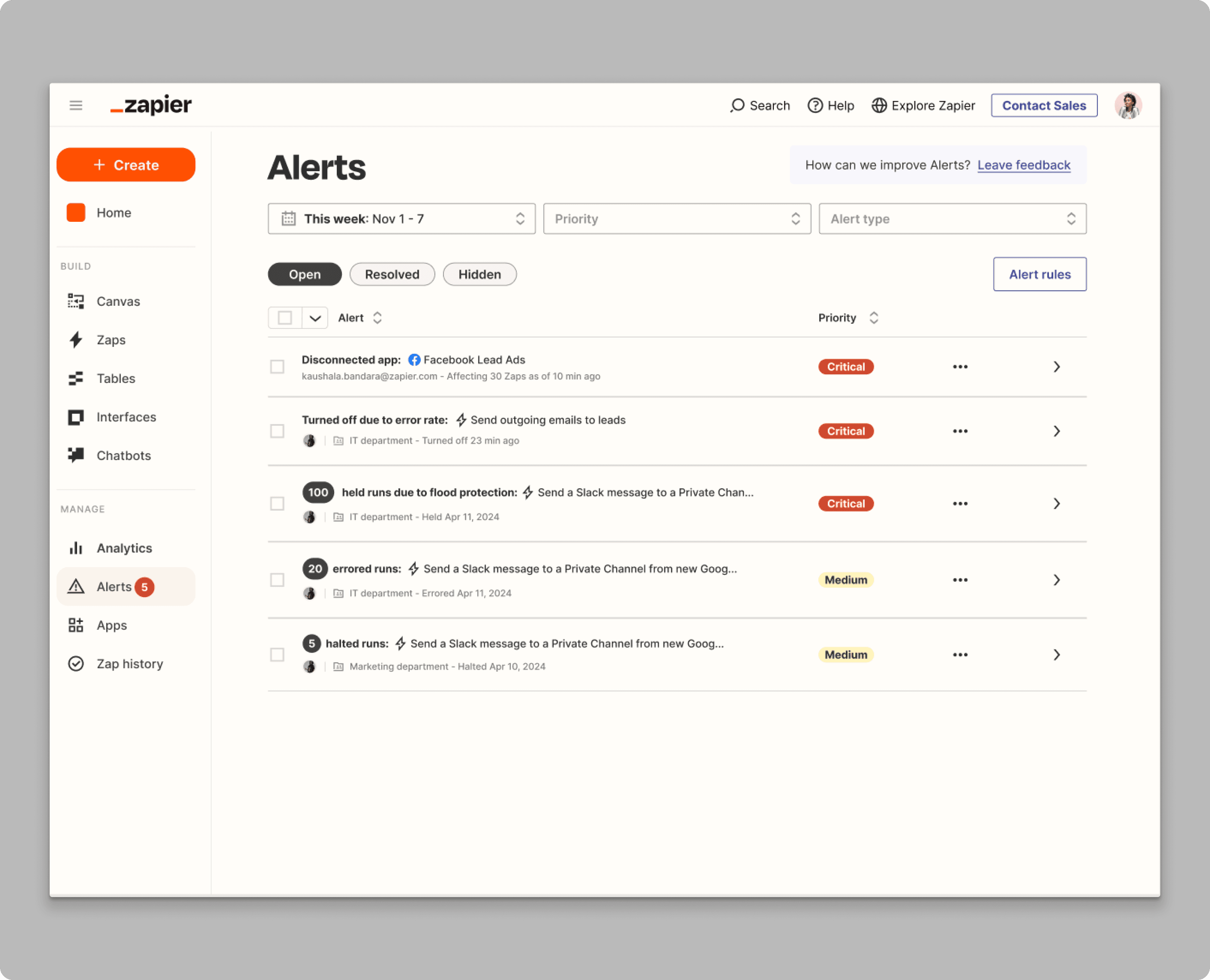
List of All Errors Within the Account
Providing a clear overview of issues.

Advanced Filtering Options
By date, error type, and priority, allowing users to efficiently locate and address specific issues

Ability to Assign Priority Levels to Workflows
Enabling users to differentiate between mission-critical and non-critical workflows.
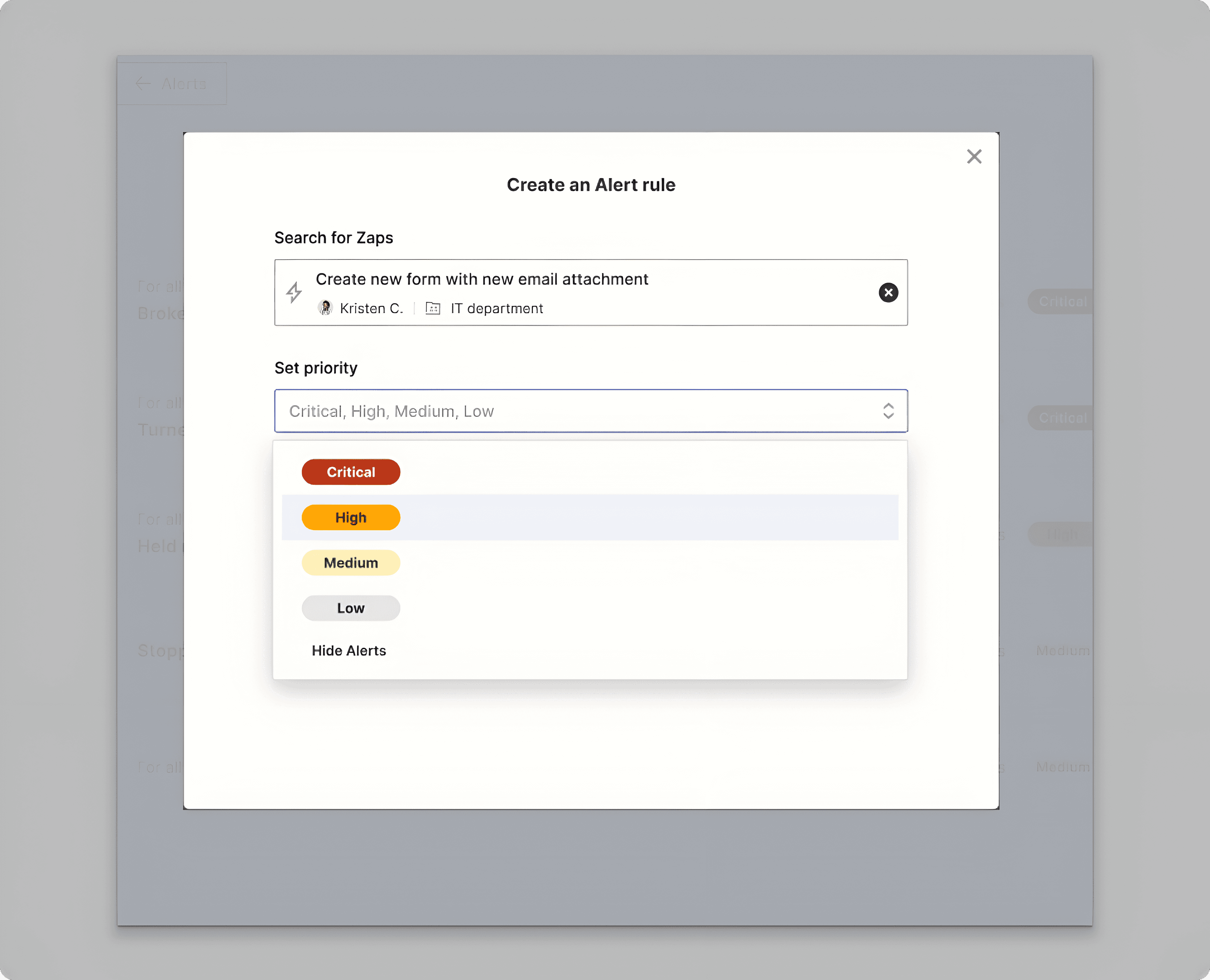
Automatic “critical” status assignment
or workflows experiencing high error rates or being turned off, ensuring immediate visibility and attention. Informed by multiple users on which workflows they prioritize.

Key Performance Indicators (90 Days Post-Launch)
40% of revenue
The enterprise package’s success contributed to 40% of Zapier’s revenue for the quarter.
73% page engagement
of users who encountered an issue engaged with alerts
~5h 45m → ~2 hours (↓ ~65%)
Median time to first action
↓ ~30% reduced support tickets
Support tickets related to Zap outages (turned off / disconnected apps)
Supplemental Features
Though this work did not ship on the Alerts page itself, I designed these features with other teams across Zapier to improve the broader troubleshooting journey.
Though this work did not ship on the Alerts page itself, I designed these features with other teams across Zapier to improve the broader troubleshooting journey.
AI troubleshooting
Leveraged AI to demystify technical errors and provide users with actionable troubleshooting steps, enabling quicker resolution and minimizing downtime.

HTTPS Logs
Enabled more advanced users to self-serve and view more details about the errors within the run.

Runs in Editor
Provide users with visual familiarity by displaying how the run performed directly within the same context as the workflow builder (editor).

Error Handling in Editor
Enabled users to create error paths for error prone steps

Improved error email design
Enabled users to drill down into widgets and view detailed reports, with the option to download data as CSV files.

On the Roadmap
Contextual sidebar
Give users more context about the workflow alert within the same page instead of taking them to an external page.
On the Roadmap
Entire product wide notification control
This extends beyond the Alerts page and addresses a broader need: providing users with complete control over which notifications they want to receive and how they receive them. This flexibility is crucial for tailoring notifications to user preferences and workflows, making Slack and webhook integration vital for seamless and efficient communication.
Contextual sidebar
Give users more context about the workflow alert within the same page instead of taking them to an external page.

Product-wide notification controls. This extends beyond the Alerts page and gives users more control over which notifications they receive and where they receive them. Slack and webhook support were especially important for teams that route operational issues into existing workflows.

Featured work

Featured work
UX Summit Talk
Listen to my UX Summit talk about UX Honeybadgers.
Analytics | Zapier
A practical reporting experience for understanding product performance.
Price Manager | Zilliant
A streamlined permissions experience for complex pricing workflows.
Construction Agent | Boon
AI-assisted construction takeoffs that turn drawings into reliable quantities.